
What a submission-ready final year project actually includes
Code alone is not a submission. What Indian B.Tech, BCA, and MCA panels expect: working app, eight-chapter report, slides, and a viva you can defend.
Rajan
Founder & engineer
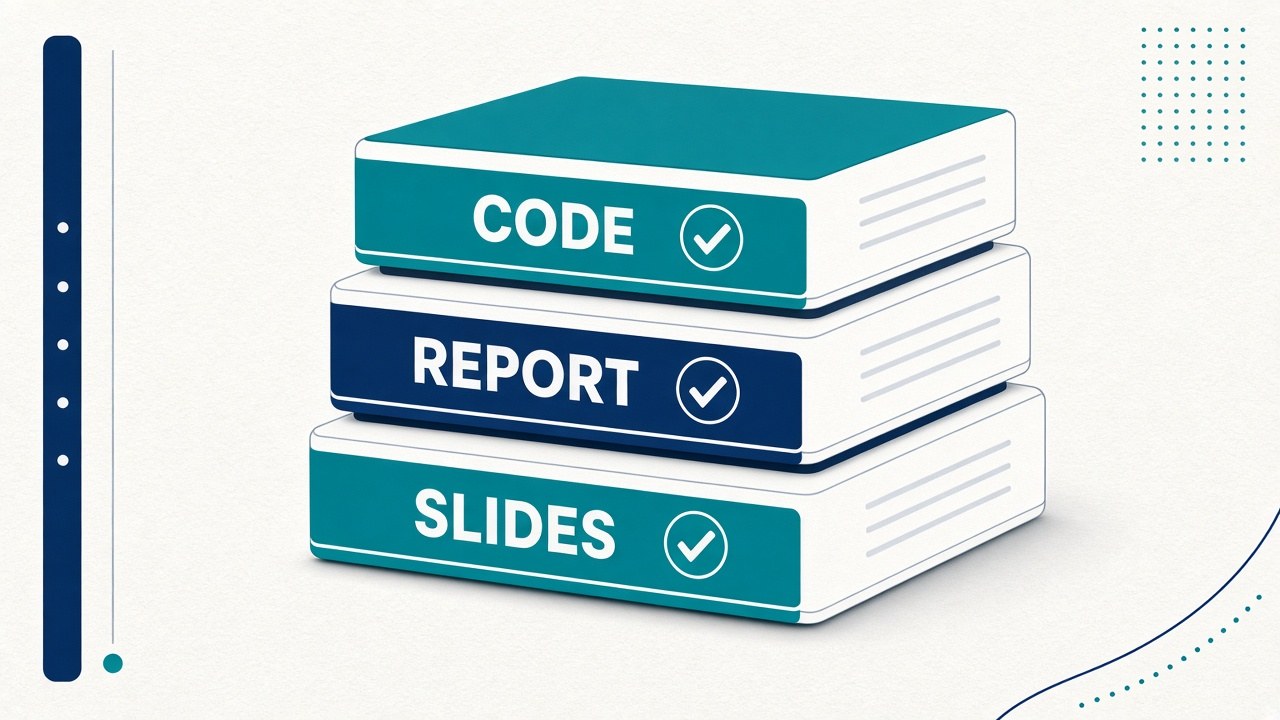
Students often search for a “final year project with report and slides” after a GitHub zip fails them the week before submission. The phrase sounds like shopping language. Underneath it is a clear academic need: a working system plus documents that match that system plus a story you can defend in viva.
This guide explains what “submission-ready” means in Indian colleges, why source-only repos fall short, how to judge any package (including ours), and how to customize it so the work is honestly yours. Pair it with how to choose a project, eight-chapter report structure, and academic integrity guidance.
The four deliverables panels actually grade
Most departments do not grade “lines of code.” They grade a bundle:
- ▸Runnable application — demo works on a laptop in the lab, with seed data and a path that does not depend on your home Wi‑Fi myths.
- ▸Project report — usually eight chapters (or your college’s variant): problem, literature, SRS/design, implementation, testing, conclusion.
- ▸Presentation deck — about 12–14 slides that mirror the same architecture as the report and the live demo.
- ▸Viva readiness — not a PDF of answers to memorize, but questions you can answer because you ran and changed the system.
If any one of these is missing or contradicts the others, marks leak. A beautiful React UI with a report copied from another domain is worse than a plain CRUD app with a coherent story.
Optional fifth: viva bank and setup notes
Strong packages also include a viva question bank tied to this architecture, and a setup README that gets a stranger to first-run demo. Those are accelerators. They do not replace understanding.
Browse working examples on the catalog: Instant download projects ship the ZIP when ready; free Instant projects like Library and Hotel let you inspect the shape of a full package before you pay for another topic.
Why “GitHub project” and “submission-ready project” are different products
GitHub is excellent for learning. Many repos are incomplete, abandoned, or demo-broken. Common failure modes the week before external:
- ▸
npm installfails on Node 18 vs 20; nobody left a lockfile story. - ▸README says “add your API key” with no sample
.env.example. - ▸Report is missing, or is a generic template with placeholders still visible.
- ▸Slides show screenshots from a different UI theme than the running app.
- ▸No seed data — you type sample records while the panel watches the clock.
A submission-oriented package treats the repo + report + slides as one product. The report’s Chapter 5 should describe modules that exist in the tree. Slide 7’s architecture diagram should match routes/ and collections you can open in Compass or Postgres. That alignment is the scarce resource — not another navbar animation.
See GitHub zip vs our projects for a side-by-side framing, and same project, differentiate once you have a base system.
What “working code” must mean in a viva room
“Working” does not mean “compiled once on my laptop in August.” It means:
- ▸Cold start: clone or unzip → install → configure env → seed → run → login with documented credentials.
- ▸Happy path: one primary workflow completes (book room, mark attendance, submit exam, ask RAG question with citation).
- ▸Failure path: you can show at least one handled error (unauthorized role, empty upload, already-marked student, timer expiry).
- ▸Demo data: enough rows that the UI does not look empty; names and IDs look campus-plausible.
Examiners notice empty dashboards. Seed data for viva is not busywork — it is half the demo.
Instant download vs made-to-order
On FinalYearKit, Instant means a ready ZIP after payment (or free Instant after contact for selected projects). Made-to-order means we build or finish delivery on a short timeline with 50% now. Neither mode removes your duty to customize and understand. Free Instant projects are a low-risk way to see folder layout, report chapters, and slides before committing to a paid topic.
What the report must do (and what it must not)
An eight-chapter report is not a novel about machine learning history. It is a technical document that proves this system:
- ▸Problem statement matches the demo.
- ▸Requirements map to screens and APIs you can show.
- ▸Design diagrams match code modules.
- ▸Implementation chapter names real files, schemas, and libraries.
- ▸Testing chapter has cases you actually ran (even a modest table beats invented 99% accuracy).
- ▸Conclusion admits limitations.
Do not paste Wikipedia into Chapter 2. Do not claim “we trained ResNet-152 from scratch on ImageNet” if you called a pretrained API. Honesty scores better than inflated claims — panels have seen both.
Use eight-chapter report structure as a checklist. For originality and similarity tools, see plagiarism guidance for project reports.
What the slides must do
Slides are a demo companion, not a second report. Typical 14-slide arc:
- ▸Title / team
- ▸Problem
- ▸Objectives
- ▸Scope
- ▸Literature (short)
- ▸Requirements snapshot
- ▸Architecture
- ▸Modules / ER or collection design
- ▸Implementation highlights
- ▸Screenshots / demo flow
- ▸Testing
- ▸Limitations & future work
- ▸Conclusion
- ▸References / Q&A
Every screenshot should be from your customized UI (college name, theme, seed domain). Customize name and college and 14-slide presentation structure cover the mechanical edits.
Viva: the invisible fourth deliverable
You can have perfect documents and still lose marks if you cannot answer:
- ▸Why this stack?
- ▸Where is authorization enforced?
- ▸What happens when the network drops mid-request?
- ▸What did you change versus what you started from?
What examiners look for in a demo and common viva mistakes are worth a weekend of practice aloud — not silent reading.
Integrity framing that keeps you safe
If you started from a scaffold or purchased package, say so the way your department expects: you customized requirements discussion, testing, UI branding, seed data, and at least one meaningful enhancement. Do not claim “from scratch” if that is false. Academic integrity and projects spells out honest documentation habits.
How to evaluate any “project with report and slides” before you trust it
Use this checklist whether you download free Instant, buy Instant, or take a friend’s drive folder:
| Check | Pass looks like | | --- | --- | | Runbook | README with Node/Python version, env vars, seed command | | Login | Documented roles (admin/student/teacher) with passwords for demo | | Report–code match | Chapter 5 modules exist as folders/files | | Slides–UI match | Screenshots match current theme and routes | | Tests | At least a table of cases; better if some automated | | Limits | Known limitations written without marketing fluff | | License / honesty | Clear that you must customize for submission |
If the seller will not show sample chapter headings or a demo video, treat that as signal.
A practical two-week customization plan
Days 1–2: Run the system cold. Break one thing on purpose; fix it. Note every env gotcha.
Days 3–5: Rebrand UI; replace seed data with your college/domain context; add one small feature your guide requested.
Days 6–8: Rewrite report sections that still sound generic; align diagrams with code.
Days 9–10: Rebuild slides from your screenshots.
Days 11–12: Viva drills — architecture, security, failure modes — with a friend interrupting you.
Days 13–14: Buffer for lab machine differences and plagiarism self-check.
Groups should assign owners; project packages do not assign speaking turns — see group project roles.
Choosing a topic shape that fits the package model
Some themes package cleanly for viva:
- ▸MERN + roles: library, hotel, exam portal, job portal — authorization stories are rich.
- ▸Streamlit AI demos: PDF/YouTube chat, attendance CV — demo is visual and timed.
- ▸Mobile: Flutter/React Native — show offline or form validation stories carefully.
Avoid topics that require institutional datasets or GPU training you do not have. Prefer systems you can defend on a CPU laptop; see projects that run without a GPU.
Concrete starting points:
- ▸Online Examination System — timers, roles, auto-score.
- ▸Face Recognition Attendance — CV + CSV + ethics.
- ▸Chat with PDF — RAG with citations.
- ▸Free Instant: Smart Library, Hotel Booking.
Degree-wise notes (B.Tech, BCA, BBA, MCA)
The package model is the same; the viva accent changes:
- ▸B.Tech CSE/IT: expect deeper questions on complexity, security, and trade-offs. Architecture diagrams matter.
- ▸BCA: emphasis on working modules, database design, and clear SRS language.
- ▸BBA (IT electives): workflow and stakeholder stories matter as much as code depth — hotel, exam, and ERP-style themes fit.
- ▸MCA: often higher bar on design patterns and evaluation; do not submit a thin CRUD without testing depth.
Hub pages for browsing by degree: B.Tech, BCA, BBA, MCA.
What “good enough” customization looks like
You do not need to rewrite the entire backend. Examiners respond well to:
- ▸College name and logo on login and report cover
- ▸Seed users named like your classmates’ roll pattern
- ▸One extra validation or report filter your guide asked for
- ▸A limitations section that mentions your lab constraints (no GPU, shared Wi‑Fi)
- ▸Screenshots dated from your run, not the seller’s marketing site
That list is finite on purpose. Endless feature greed is how groups miss the submission window.
Pricing reality without the sales fog
Base packages in this space usually cover code + report + slides at a flat price, with optional paid add-ons (name/college customization, viva coaching, install help). Free Instant projects waive the base ZIP price but still need contact and still treat add-ons as optional paid work. Read the pricing note on each project page so you know what is not included.
You are buying time and structure, not a certificate. The certificate still comes from your college after you defend.
Linking the live site so guides stay useful
When you publish or share your work internally, keep URLs consistent: project page for the demo claim, blog posts for viva depth. Students who land on a guide should reach a runnable project in one click — that is why posts here link catalog hubs and specific slugs. If you write your own campus blog mirror, keep the same discipline: every claim about a feature should deep-link to a screen you can open.
For AI-heavy topics, add how RAG works or Streamlit AI demos to your reading list so Chapter 2 is not empty theory.
Common myths
“If the code runs, the report can be thin.”
External examiners often read the report before or after the demo. Thin reports look like incomplete courses.
“AI can write my entire report the night before.”
Unedited AI prose invents APIs and papers. Use tools for grammar; you supply architecture truth and test results.
“More features = more marks.”
One completed workflow beats five half-wired screens. Scope control is a mark of engineering maturity.
“Any GitHub star count means viva-safe.”
Stars measure popularity, not alignment with your syllabus or a matched report.
Mini FAQ
Q: Can I submit a package without changing anything?
A: You should not. Departments expect customization and understanding. Untouched templates are an integrity and viva risk.
Q: Do I need both Instant download and WhatsApp help?
A: Instant gets you files. WhatsApp help is for setup blockers — use it when stuck, not as a substitute for reading the README.
Q: BCA vs B.Tech — same package model?
A: Yes for most web/AI demo projects; depth of theory questions may differ. Match complexity to your syllabus — choosing a project.
Q: What if my college mandates a specific chapter order?
A: Reorder headings; keep substance. The checklist still applies.
Week-before-external panic list
If external is in seven days and the ZIP just arrived:
- ▸Day 1: Cold run + seed + screenshot every primary screen.
- ▸Day 2–3: College branding + one enhancement + rewrite Chapter 5 to match files.
- ▸Day 4: Slides from your screenshots only.
- ▸Day 5–6: Viva aloud — architecture, auth, one failure.
- ▸Day 7: Lab-machine dry run; USB backup of node_modules strategy or offline installers if the lab blocks npm.
Do not start a second project theme in that window. Depth beats novelty.
Mapping package folders to viva language
When a panel asks “show me the code for X,” you should already know:
- ▸Where routes/controllers live
- ▸Where the schema/model for the main entity lives
- ▸Where env examples live
- ▸Where seed scripts live
Spend one evening drawing a one-page map from README → folders → demo clicks. That map is more valuable than another feature.
Soft next step after reading
If you need a concrete package to inspect: open the project catalog, try a free Instant ZIP (Library or Hotel) to learn folder layout, or pick a viva-heavy topic like Online Examination System or Chat with PDF. Prefer WhatsApp only when you have a specific course/deadline question — the pages already list Instant vs made-to-order and add-ons.
Closing checklist before you call it submission-ready
- ▸[ ] Cold run on a clean folder works
- ▸[ ] Primary demo path under five minutes
- ▸[ ] Report chapters name real modules
- ▸[ ] Slides use your screenshots
- ▸[ ] One failure path rehearsed
- ▸[ ] Limitations written honestly
- ▸[ ] You can explain stack choices without reading slides
Takeaway: A submission-ready final year project is a aligned bundle — runnable code, matching report, matching slides, and a viva story you own. Shop for that alignment, then spend your remaining weeks on customization and rehearsal, not on hunting another zip that only contains src/.
Ready to work on your own project?
We build complete final year projects with source code, report, slides, and viva prep. Pick a project from ₹499 — Instant download when ready, or 50% now for made-to-order.
Browse projects